
A few drags away
Use Position, Rotation, and Look At to place body parts and set their orientation. The World control moves the whole character.
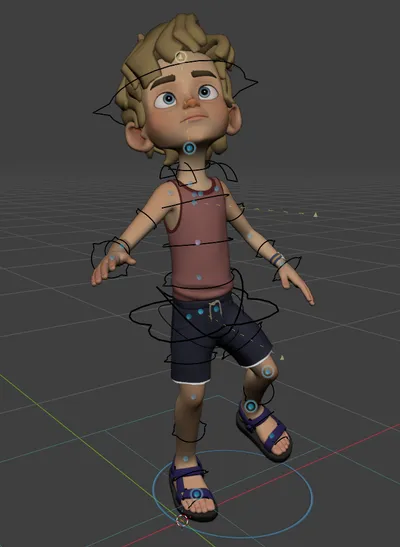
Blaze AutoPose is an interactive full-body posing tool for Blender. Move a few viewport handles and AutoPose adapts the rest of the body around them. With minimal setup, the result is applied directly to your rig’s FK controllers.
A few drags away
Use Position, Rotation, and Look At to place body parts and set their orientation. The World control moves the whole character.
Pose. Refine. Record.
Switch to Manual Pose to adjust the rig directly, then continue from the visible pose. Use Record to capture a continuous take and bake it to the timeline.
Set up the character once in Rig Setup. AutoPose uses your rig’s FK body controllers, and the setup is saved in the blend file.
Built-in presets:
Custom humanoid FK rigs are supported through manual mapping.
Latest release: AutoPose 1.1.1 · September 22, 2026. Improved rig compatibility and stability when switching between AutoPose and Manual Pose. View the changelog.
| Blender | 4.5 or newer |
| Platforms | Windows x64, Linux x64, macOS Intel and Apple Silicon |
| Processor | 64-bit Intel, AMD, or Apple Silicon CPU |
| Graphics | No dedicated GPU required. AutoPose solves on the CPU. |
Storm, Rain, Ellie and Cat by Blender Studio; Amy and Michelle from Adobe Mixamo; Jazmine by Mattias Lind; Shiromoji by Jump! Jun.